

As mobile applications become a core part of daily life, users expect fast and seamless experiences regardless of their network conditions. However, in reality, network speeds constantly vary based on location, device connectivity, and bandwidth limitations. This makes it essential for businesses to ensure that their applications continue to perform reliably even under slow or unstable connections.
Mobile app performance testing under network throttling helps organizations evaluate how applications behave in real-world scenarios and identify issues before they impact end users.
Why Testing Mobile Apps Under Real-World Network Conditions Matters
Have you ever used an app that suddenly freezes or takes too long to load, especially when your internet connection is weak? It can be very frustrating. This is exactly the kind of problem that mobile app performance testing aims to prevent.
In real life, users do not always access mobile apps under perfect network conditions. People often use apps while commuting, in crowded places with unstable 5G networks, in remote areas with weak signals, or when their home Wi-Fi becomes slow or unreliable. These varying conditions can affect how an app performs.
This is where mobile app throttling becomes important during testing. It involves intentionally slowing down or limiting the network speed to simulate real-world network conditions. By testing the app under these controlled limitations, developers can observe how the app behaves when the connection is slow or unstable.
Mobile App Performance Testing under network throttling helps teams identify performance issues early and optimize the app accordingly. Organizations that specialize in performance engineering, such as TechTez, help businesses implement scalable testing strategies and improving application reliability. As a result, the app remains fast, responsive, and reliable even in challenging network environments, ensuring a smoother and more satisfying experience for users.
Understanding Mobile App Throttling
Imagine your users attempting critical action within the app, perhaps making a payment, loading a product catalogue, or sending a message only to be met with frustrating delays, endless loading indicators, or outright failures. In many cases, the culprit isn’t a bug in your code, but the limitations imposed by mobile app throttling.
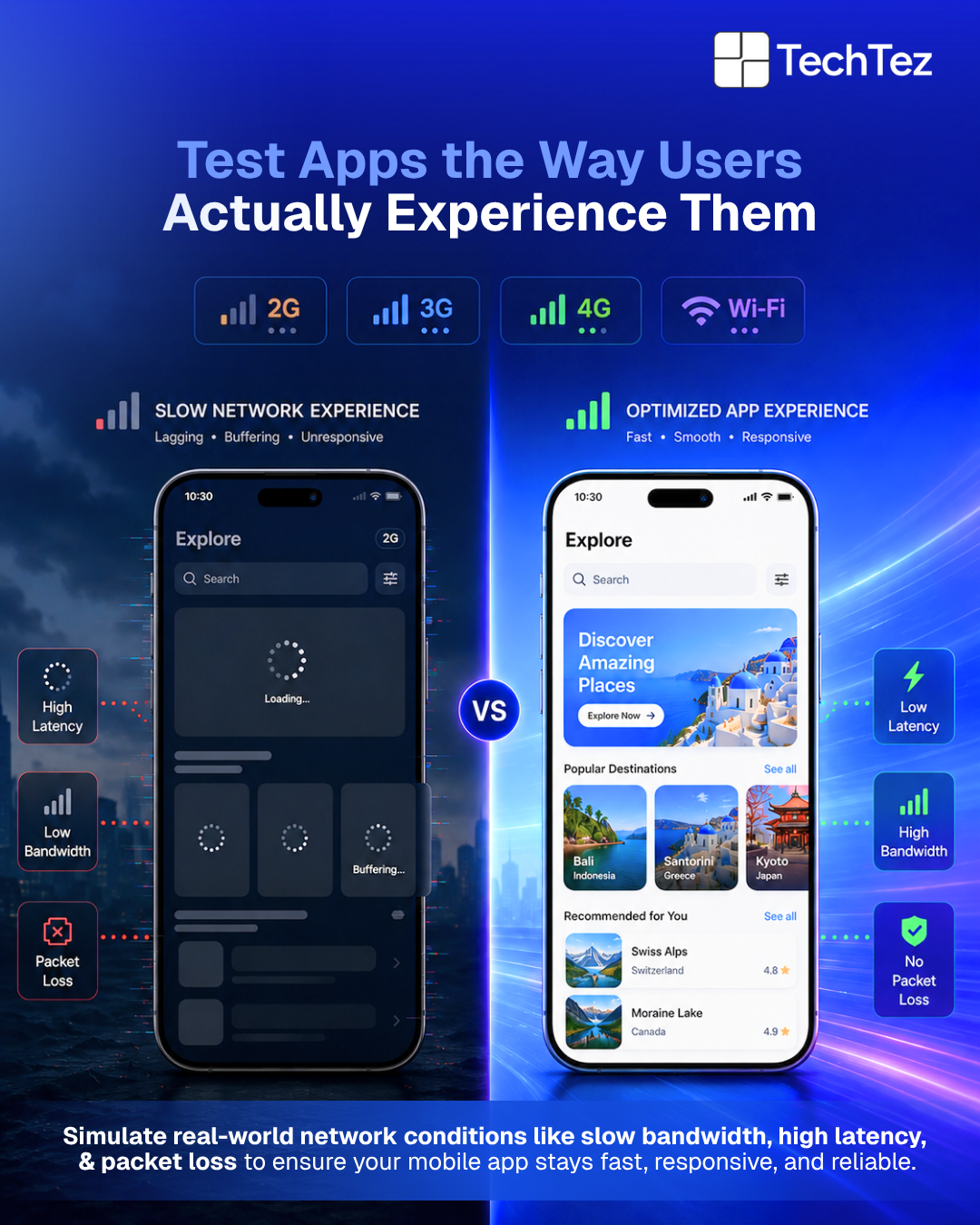
Mobile app throttling refers to any intentional or unintentional reduction in network resources available to your application. Key Factors That Impact Mobile App Performance Under Network Throttling are:
- Bandwidth Throttling refers to intentionally limiting how much data your app can send or receive over a network within a specific time. In real-world scenarios, this feels like your app taking longer to load images, videos, or even basic content because there’s simply less “data capacity” available. For users, it often shows up as slow loading screens or delayed responses, especially on weaker mobile networks or congested connections.
- Latency refers to the delay between when a user makes a request and when the app receives a response from the server. The request can be something like tapping a button or network disturbances etc.,. Even if the amount of data is small, high latency can make the app feel slow and unresponsive, as users are left waiting for actions to complete.
- Packet Loss happens when some data sent over the network doesn’t reach its destination. The system then has to resend that data, which creates delays and interruptions. For users, this can show up as broken images, failed requests, or features that don’t respond properly.
- Network Congestion occurs when too many users are trying to use the same network at the same time, like in crowded areas or during peak hours. As a result, speeds drop and delays increase, making the app experience slower and less reliable.
Testing app performance without Mobile App Throttling gives you an unrealistic, often too-positive view of how your app truly performs.
Why Mobile App Performance Testing Under Throttling is non-negotiable
Failing to address mobile app throttling during the testing phase can create serious problems once the app reaches real users. In real life, people rarely use apps on perfect internet connections. They may be on a slow network while commuting, in crowded areas with network congestion, or in places with weak signals. If the app has only been tested under ideal conditions, it may struggle to perform properly in these situations. This can lead to slow loading screens, delayed responses, or features that simply stop working. When users repeatedly face such issues, it affects their overall experience and trust in the app.
That’s why testing under throttled network conditions is important; it helps teams understand how the app behaves in real-world environments and ensures it remains reliable and usable even when the network is not at its best.
Poor User Experience: This is often the first and most noticeable impact when an app is not tested under throttled network conditions. Slow loading screens, delayed responses, and features that stop working can quickly frustrate users. Mobile users expect apps to work smoothly even with weak internet connections. When the experience becomes inconsistent, users are more likely to abandon the app and move on.
Negative Reviews and Low Ratings: When users repeatedly face performance issues, they often express their frustration through app store reviews. Negative feedback about slow performance or frequent errors can quickly affect an app’s rating. Many potential users check reviews before downloading an app, so poor ratings can discourage them from trying it. Over time, this can damage the app’s reputation and reduce new user acquisition.
High Uninstall Rates: If an app consistently performs poorly under common network conditions, users may decide it is not worth keeping. Mobile users have plenty of alternatives available and can easily switch to competing apps. Frequent crashes, slow responses, or failed actions often push users to uninstall the app. This results in a declining active user base and reduced engagement.
Lost Revenue and Conversion: For e-commerce or service-based applications, performance problems can directly affect business outcomes. Slow loading during checkout, payment processing, or form of submissions may cause users to abandon their actions. Even a few seconds of delay can lead to missed transactions and reduced conversions. Over time, these issues can significantly impact overall revenue and customer retention.
Increased Support Costs: When users experience repeated performance problems, they often reach out to customer support for assistance. This increases the workload for support teams and raises operational costs. Many of these issues could have been avoided through proper network condition testing. Addressing performance issues early helps reduce support requests and improves overall efficiency.
Ensuring Consistent User Experience: By focusing on Mobile App Performance Testing under Mobile App Throttling, teams can identify and resolve performance issues early in the development process. Testing under realistic network conditions helps ensure the app performs reliably across different environments. This proactive approach improves user satisfaction and strengthens long-term engagement.
Key Strategies for Effective Mobile App Performance Testing Under Mobile App Throttling
To effectively test how well your mobile application performs under mobile app throttling, it is important to follow a structured strategy that closely reflects real-world network conditions. Mobile users access applications in different environments, often facing unstable internet connections, network congestion, or limited bandwidth. By simulating these real-world constraints during testing, teams can better understand how the app behaves under pressure and identify areas that require optimization to ensure consistent performance.
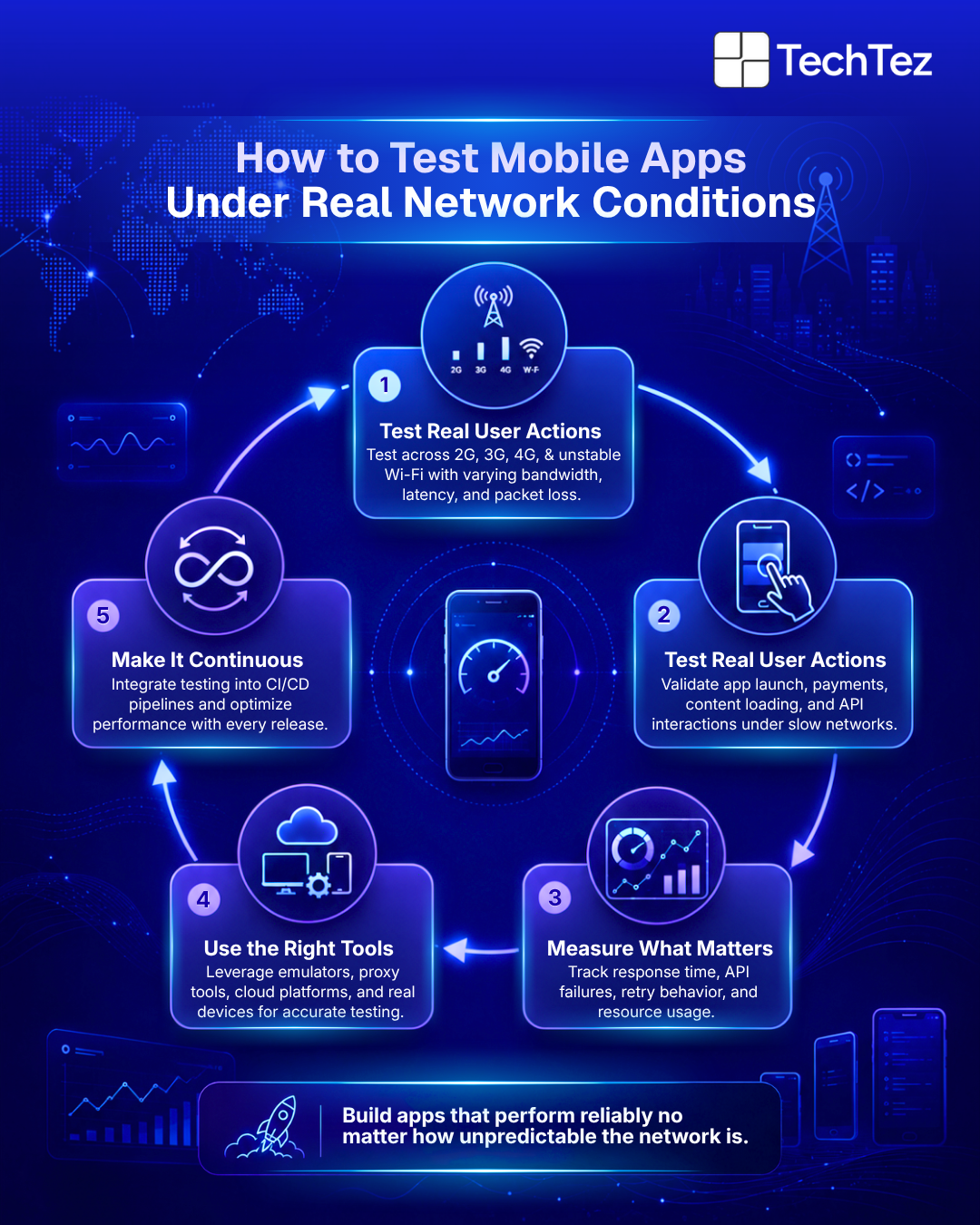
Realistic Network Condition Simulation: One of the most important strategies is simulating realistic network conditions rather than simply testing with basic slow or fast internet profiles. In real life, users may access apps using different network types such as 2G, 3G, congested 4G or LTE networks, and weak Wi-Fi connections. Each of these conditions introduces variations in bandwidth, latency, and packet loss that can affect app performance. By using network emulators or proxy tools, testers can control these parameters and replicate real-world network limitations. This approach helps teams observe how the app responds to slow data transfer, delayed responses, or unstable connectivity.
Targeted Test Scenarios: Another important strategy is designing test scenarios that reflect real user interactions. Instead of only testing basic functionality, the focus should be on how the app behaves during everyday actions performed by users. For example, testing how long the app takes to launch and fetch initial data on a slow connection can reveal performance bottlenecks. Similarly, evaluating how the app loads dynamic content such as product listings or social media feeds can help identify delays in data retrieval. Other common scenarios include testing media streaming performance, measuring how quickly forms or data uploads are processed, and assessing the reliability of third-party integrations when network conditions are poor. These real-world scenarios help provide a clearer picture of the user’s experience.
Device and Geographic Diversity: Network performance is not the same for every user because it can vary based on both location and device capabilities. Users in urban areas may face network congestion during peak hours, while users in rural regions may rely on slower network infrastructure. In addition, different mobile devices have varying processing power, memory capacity, and network handling capabilities. Testing the app across a wide range of devices and simulating network conditions common in the target user regions helps ensure that the app performs reliably for a diverse audience
Performance Metric Deep Dive: To truly understand how mobile app throttling affects performance, teams need to closely monitor key performance metrics. Measuring request and response times can reveal how quickly the app communicates with servers under slow networks. Analyzing data transfer efficiency helps identify whether unnecessary data is being transmitted during certain actions. Monitoring error rates is also important, as slow networks can lead to timeouts or connection failures. In addition, observing battery consumption, CPU usage, and memory usage can help determine whether the app is placing excessive strain on device resources while attempting to handle network delays. These insights provide valuable data for improving performance
Iterative Testing and Optimization: Mobile app performance testing under throttled conditions should not be treated as one-time activity. Instead, it should be integrated into the development of the lifecycle as an ongoing process. As new features, updates, or integrations are introduced, the app should be continuously tested to ensure that performance remains stable across different network conditions. Based on the testing results, developers can implement optimizations such as data compression, efficient caching mechanisms, streamlined API calls, and smarter data fetching strategies. This continuous improvement approach helps ensure that the application remains responsive and reliable even when users experience limited or unstable network connectivity.
Leveraging Tools for Mobile App Throttling Tests
To effectively test how a mobile application performs under different network conditions, teams rely on a variety of tools that simulate mobile app throttling. These tools help recreate real-world scenarios where network speed, bandwidth, and stability are not always ideal. By using the right testing tools, developers and testers can understand how their applications behave when users experience slow or unstable connections.
Platform-specific developer tools are often the first step in mobile performance testing. Development environments such as Apple’s iOS ecosystem provide features like the Network Link Conditioner, which allows testers to simulate different network speeds and conditions directly on their devices. Similarly, the Android Emulator networking capabilities include built-in network settings that make it possible to test applications under restricted bandwidth or higher latency conditions. These tools are useful during early development stages because they provide quick and convenient ways to observe how an application responds when the network speed drops.
In addition to built-in developer tools, network emulation software provides more advanced capabilities. Tools such as Charles Proxy and Fiddler allow testers to closely control network parameters like bandwidth limitations, latency delays, and packet loss. This level of control helps simulate realistic internet conditions that users might face in everyday environments. By observing how the app responds to these constraints, teams can identify performance bottlenecks and areas where data handling or communication with servers can be improved.
For organizations that require more precise testing environments, hardware-based network emulators offer highly accurate simulations. These dedicated devices are designed to replicate a wide range of network conditions with great precision. They allow teams to mimic complex network behaviours such as fluctuating bandwidth, intermittent connectivity, and heavy network congestion. This type of testing is particularly valuable for enterprise applications or products that need to perform reliably across different regions and network infrastructures.
Another widely used option is cloud-based testing platforms, which allow teams to test applications on real devices hosted in the cloud. Platforms such as Browser Stack, Sauce Labs, and Perfecto provide built-in network throttling features that simulate various connectivity conditions while running the app on real smartphones and tablets. This approach enables teams to perform large-scale testing without maintaining a physical device lab, while also ensuring that the app performs consistently across different devices and operating systems.
Building Resilience: The Outcome of Thorough Throttling Tests
The ultimate objective of Mobile App Performance Testing under Mobile App Throttling is to build a resilient application that can deliver reliable experience regardless of network conditions. Since mobile users often access apps while moving between different environments, network quality can vary significantly. By identifying performance issues early and addressing them during development, teams can ensure the app remains stable even when the connection is slow or unstable.
When applications are optimized through thorough throttling tests, one of the biggest benefits is improving user satisfaction and retention. Users are far more likely to continue using an app that loads quickly, responds smoothly, and functions reliably even on weaker networks. A consistent and dependable experience encourages users to stay engaged and builds long-term loyalty.
Another important outcome is the enhancement of the app’s reputation. Applications that perform well across different network conditions tend to receive better reviews and higher ratings on app stores. Positive feedback from users not only strengthens the brand image but also helps attract new users who rely on ratings and reviews before downloading an app.
Performance optimization also plays a direct role in increasing conversions and revenue, especially for applications that support transactions or service interactions. When users can browse products, complete purchases, or submit forms without delays or interruptions, they are more likely to complete their intended actions. Smooth performance therefore contributes to higher engagement and stronger business outcomes.
In addition, well-tested applications help reduce support costs. When an app performs reliably, users encounter fewer technical issues and therefore require less assistance from customer support teams. This reduces the number of complaints, support tickets, and troubleshooting requests, allowing organizations to focus their resources on innovation rather than issue resolutions.
Conquer the Connection: Your App’s Performance Edge
In today’s highly competitive mobile ecosystem, delivering a smooth and responsive user experience is no longer optional; it is essential. Mobile users expect apps to function seamlessly regardless of the quality of their internet connection. Ignoring mobile app throttling during performance testing creates a significant risk because it prevents teams from understanding how the application behaves in real-world situations.
By proactively testing applications under simulated network limitations, organizations gain valuable insights into potential weaknesses in performance. Many businesses rely on experienced engineering partners, like TechTez to implement scalable testing strategies and optimizing application performance. These insights allow developers to refine network handling, optimize data usage, and improve overall responsiveness. As a result, the application becomes more resilient and capable of maintaining consistent performance even when network conditions are less than ideal.
Ultimately, thorough throttling tests ensure that an app remains fast, stable, and dependable for all users, whether they are on high-speed Wi-Fi, congested mobile networks, or weak signal areas. This proactive approach helps businesses deliver a better digital experience and maintain a strong competitive edge in the mobile app marketplace.