

Everywhere you look, there’s a “chat with your documents” demo.
Upload a few PDFs -> Create a vector index -> Wire it to an LLM -> Ship a chatbot.
It looks magical until it hits real enterprise reality:
- Outdated answers because content changed last week
- Wrong or hallucinated responses in high-stakes workflows
- No access control, no audit trail, no way to explain why the bot answered that way
- Latency spikes and unpredictable costs as usage grows
That’s what happens when RAG = “LLM + vector DB” in your architecture.
But to build enterprise-grade knowledge assistants, you need to go beyond a simple vector store.
This blog walks through what “RAG done right” looks like and how Engineering partners like TechTez approach it in real-world deployments.
What Is RAG: Beyond the Buzzword
At its core, RAG = Retrieval + Generation:
- A retriever finds relevant pieces of information (chunks) from your knowledge sources.
- An LLM uses those chunks as context to generate an answer.
This solves two big problems with vanilla LLMs:
- They’re trained on static data and quickly become stale.
- They can hallucinate confident but wrong answers.
By retrieving your own curated sources (docs, wikis, tickets, databases), you ground the model’s output and keep more control over what it can and can’t say.
But in production, there’s much more going on:
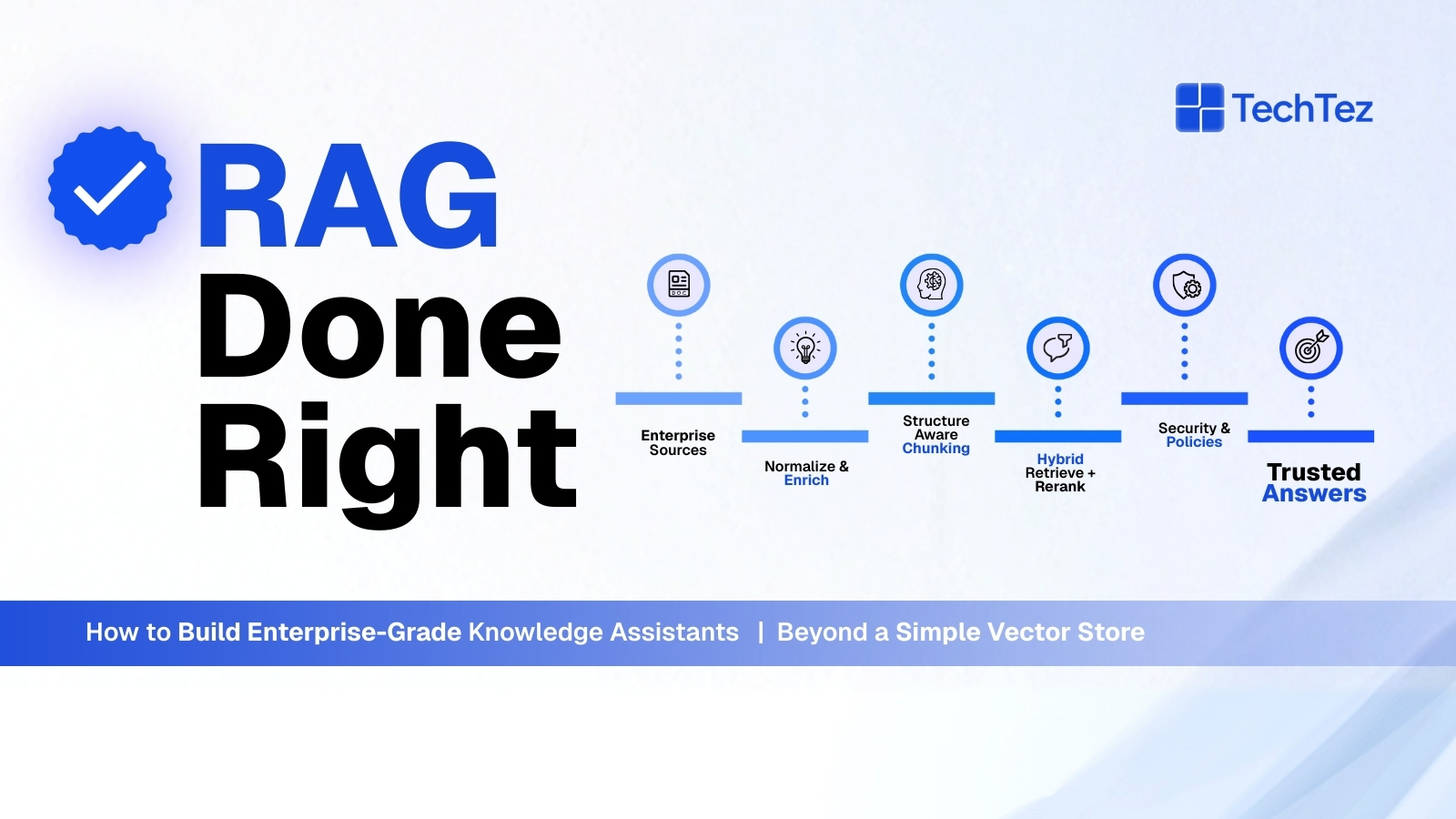
- Ingestion & metadata
- Chunking strategy
- Hybrid retrieval & reranking
- Policy & security layers
- Logging, evaluation, and feedback
If you ignore these, you get a flashy demo that falls apart when customers or internal teams actually depend on it.
Why “Just a Vector Store” Is Not Enterprise RAG
A basic RAG setup usually looks like this:
- Extract text from PDFs/HTML/Docs
- Chunk into paragraphs
- Embed and store vectors in a Database
- On query, embed the question → nearest neighbors → send to LLM
This is fine for a prototype. It breaks down in enterprise environments because of:
1. Retrieval Quality & Hallucinations
If retrieval is weak or noisy, the LLM fills the gaps, creating hallucinations even if you have a great model. Research shows that retrieval effectiveness is tightly linked to hallucination reduction, and simple dense retrieval is often not enough.
2. Access Control & Compliance
Naively centralizing internal data into one vector DB can bypass original access controls and create a new, risky data silo especially in regulated industries like healthcare and finance.
3. Stale or Incomplete Content
RAG systems fail when content pipelines aren’t maintained: missing documents, outdated versions, or inconsistent metadata degrade answers and trust.
4. Search-Only Mindset
Vector search is powerful but not omnipotent. Different tasks benefit from different retrieval methods, keywords, semantic, hybrid, graph-based, or even structured DB queries.
5. No Evaluation or Monitoring
Without proper RAG-specific evaluation (retrieval of metrics and answer quality metrics), teams don’t know what’s breaking, retrieval, generation, or both.
To build something enterprise teams can rely on, you need a RAG system, not just a vector DB.
The 5 Pillars of Enterprise-Grade RAG
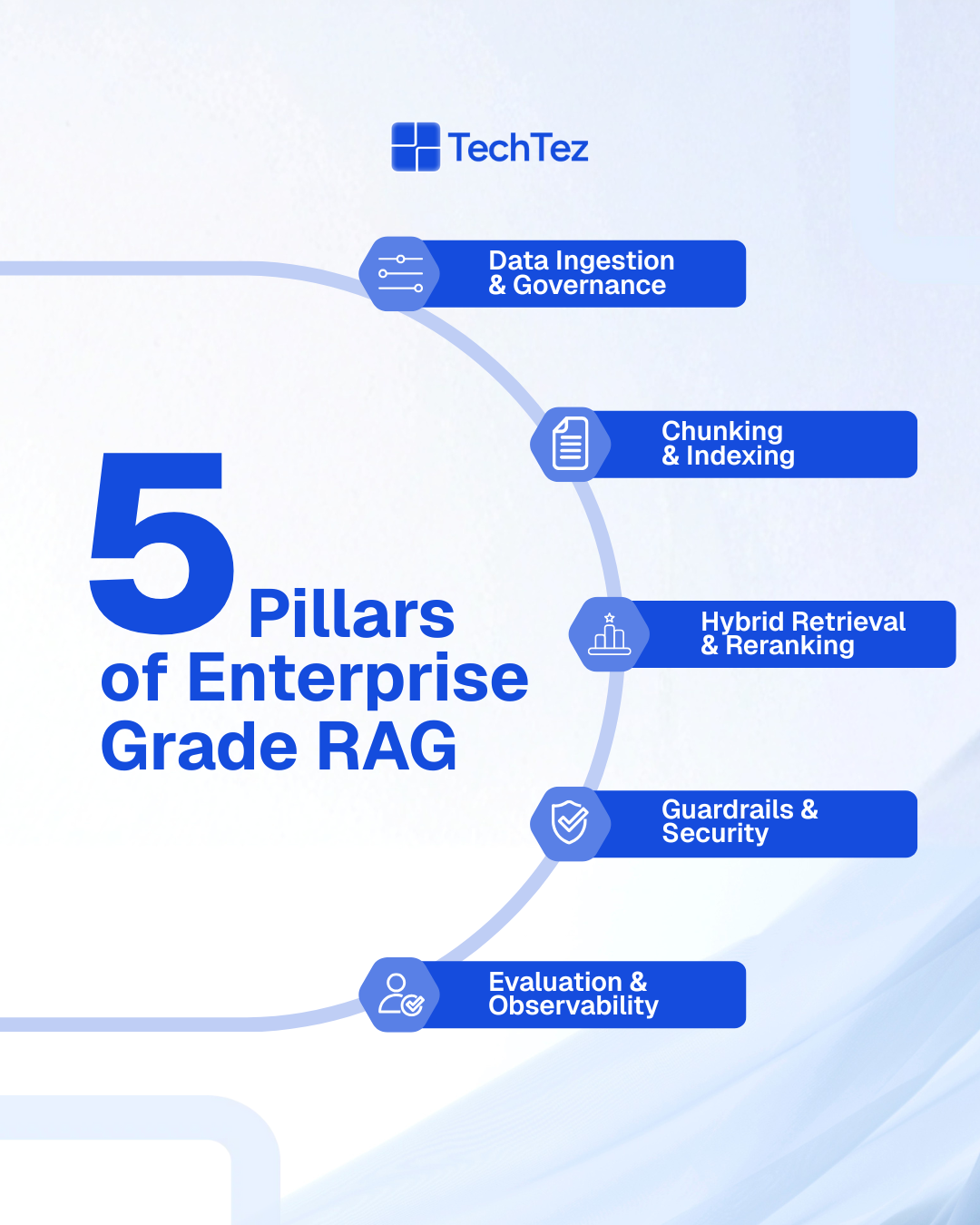
Pillar 1: Serious Data Ingestion & Governance
Enterprise RAG starts with solid data foundations, not embeddings.
Key practices:
- Multi-source connectors: Confluence, SharePoint, Git repos, ticketing tools, CRMs, policy portals, etc.
- Content normalization: Convert to clean, structured text (and keep links back to originals).
- Metadata enrichment:
-
- Source system, owner, business unit
-
- Document type (policy, SOP, release note, ticket, contract)
-
- Effective dates, versions, sensitivity tags
- Lifecycle management: Expiry rules, re-index on change, delete on retention expiry.
Pillar 2: Chunking & Indexing That Match Reality
“Split every 512 tokens and call it a day” is not enough.
Enterprise-grade chunking is:
- Structure-aware: Respect headings, sections, tables, list boundaries where possible.
- Task-aware: Different use cases (FAQ vs. troubleshooting vs. policy lookup) may need different chunk sizes and overlaps.
- Multi-index:
-
- One index optimized for short, FAQ-style answers
-
- Another for long-form reference or code examples
-
- Possibly modality-specific indexes (text, tickets, logs, etc.)
Well-designed chunks reduce noise and improve both retrieval quality and answer coherence.
Pillar 3: Hybrid Retrieval & Reranking (Not Just Dense Vectors)
Modern RAG systems increasingly use hybrid retrieval combining:
- Sparse (BM25 / keyword) retrieval for exact matches (IDs, codes, error messages)
- Dense (vector) retrieval for semantic similarity and paraphrases
- Metadata filters (project, product, customer, recency, language, region)
These signals can be combined via techniques like reciprocal rank fusion (RRF) or similar scoring strategies to get better top-k candidates.
On top of that, an LLM-based or ML reranker (e.g., cross-encoder) can re-score a small candidate set to further improve precision.
Done right, hybrid retrieval:
- Dramatically improves relevance
- Reduces hallucination rate
- Makes the assistant far more robust to how users phrase questions
This is a big part of “RAG done right” and an area where TechTez often customizes retrieval recipes per client.
Pillar 4: Guardrails, Security & Policy-Aware Answers
Enterprise knowledge assistants must respect:
- Who is asking? (identity & roles)
- What are they allowed to see or do? (RBAC, ABAC, row-level security)
- What shouldn’t they ever see? (PII/PHI, secrets, contract details, etc.)
Key capabilities:
- Authorization-aware retrieval: Filter documents at retrieval time based on the user’s entitlements. Don’t even retrieve what they can’t see.
- Content filtering: Redact or mask sensitive sections using rules or models.
- System prompts & policies:
-
- “Only answer using retrieved content.”
-
- “If unsure, say you don’t know.”
-
- “Never speculate on legal, financial, or clinical decisions.”
- Audit logging: Log which docs were retrieved, which answer was shown, and to whom.
This is non-negotiable for sectors like healthcare, telecom, BFSI, and public sector.
Pillar 5: Evaluation, Observability & Continuous Improvement
RAG is not “build once, forget forever.” You have to measure and iterate.
Typical evaluation layers:
1. Retrieval metrics
-
- Recallk, MRR, nDCG for internal test queries
-
- “Did we retrieve what a human expert would have used?”
2. Answer quality metrics
-
- Factual correctness
- Faithfulness to retrieved docs
- Helpfulness and completeness
3. User-centric signals
-
- Thumbs up/down, “was this helpful?”
-
- Follow-up queries that indicate confusion
4. Production observability
-
- Latency across retrieval + generation
-
- Error rates, timeouts
-
- Per-tenant / per-product usage & cost dashboards
TechTez usually bakes RAG-specific evaluation and telemetry into the platform from day one so teams can pinpoint: “Is the problem retrieval, generation, or data?”
A Simple Blueprint: Enterprise RAG Architecture
Here’s a high-level blueprint you can adapt:
1. Ingestion Layer
-
- Connectors for docs, wikis, tickets, code, CRM, etc.
-
- Normalization and metadata tagging
-
- Versioning and retention rules
2. Processing & Indexing Layer
-
- Chunking configured per document type/use case
-
- Embedding generation (with a manageable set of encoders)
-
- Hybrid indexes: sparse + dense, plus metadata filters
3. Retrieval Orchestration Layer
-
- Query understanding/rewriting (expand acronyms, fix typos, break complex questions into sub-queries)
-
- Hybrid retrieval & reranking
-
- Policy and access-control filters
4. Generation & Guardrail Layer
-
- Prompt templates for different tasks (FAQ, troubleshooting, policy, summarization)
-
- System prompts enforcing “only from retrieved docs” and fallback behavior
-
- Content filtering and redaction
5. Experience Layer
-
- Chat UI, side panel in existing tools, Slack/Teams/WhatsApp bots, or API integration
-
- Inline citations with links back to the original sources
6. Ops & Governance Layer
-
- Logs, traces, and metrics for every step
-
- Cost tracking (model, infra, vector queries)
-
- RAG-specific evaluation jobs and regression tests
To see how this works in a real deployment, explore our case study: “Conversational Chatbot Powered by Document Intelligence”, where we designed a retrieval-driven assistant built on robust ingestion, governance, and hybrid search.
Business Benefits: Why RAG Done Right Matters
When you treat RAG as a system, not a toy, you unlock real business outcomes:
- Faster onboarding & knowledge transfer
New hires get contextual, trusted answers instead of hunting across 10 tools.
- Reduced support & operations load
Agents and internal teams spend less time searching and more time solving.
- Lower risk of misinformation
Hybrid retrieval + guardrails + evaluation cut down hallucinations in high-stakes domains.
- Higher reuse of existing knowledge
Policies, SOPs, runbooks, and past incidents/tickets become actively used, not just archived.
- Better ROI on LLM spend
Improved retrieval and caching mean fewer, more relevant tokens sent to the model.
How to Get Started with Enterprise RAG
Step 1: Choose One or Two High-Value Use Cases
Examples:
- Internal engineering assistant (logs, runbooks, tickets, docs)
- Customer support assistant (policy + product knowledge)
- Sales/CS playbook assistant (contracts, playbooks, FAQs)
Pick scenarios where knowledge is scattered and people waste time searching.
Step 2: Curate a High-Quality Initial Corpus
Don’t start by indexing “everything”:
- Identify 3–5 critical sources that are relatively clean and up to date.
- Normalize content and tag with basic metadata (source, type, date, owner).
- Decide what must not be indexed (sensitive or noisy data).
Step 3: Implement Hybrid Retrieval, Not Just Vectors
Even in your first version:
- Use BM25 or keyword search alongside dense retrieval.
- Turn on metadata filters (e.g., only last 12 months, only “customer-facing docs”).
- Add a simple reranker or at least ranking heuristics (title match boosts, etc.).
You’ll see a big quality bump vs. vector-only.
Step 4: Add Guardrails and Observability Early
From the first pilot:
- Enforce “answer only from retrieved content; say you don’t know otherwise.”
- Log which documents were retrieved and which answer was given.
- Add basic usage dashboards for queries, latency, and token cost.
Step 5: Iterate with Real Users
Release to a small internal audience and:
- Collect explicit feedback (“was this helpful?”).
- Capture recurring queries that fail use them to improve chunking, retrieval, or prompts.
- Treat your RAG assistant as a product, not a project.
When enterprises stop treating RAG as a quick chatbot hack and start treating it as a full-stack knowledge system, everything changes. Retrieval becomes reliable, answers become trustworthy, and AI finally becomes a dependable partner in day-to-day work. With the right ingestion, governance, retrieval strategy, and guardrails, RAG moves from a flashy demo to a mission-critical capability that scales across teams and use cases.
FAQs
How long does it take to see the value from RAG?
Teams often see value as soon as the first focused assistant is live (e.g., for engineering documents or customer support). The key is to start small, pick impact-heavy use cases, and iterate with real users backed by a solid data + retrieval foundation.
What’s the difference between a RAG demo and an enterprise implementation?
Enterprise implementations include: identity-aware access control, data governance, monitoring, evaluation, SLAs, and integration into existing tools and workflows. Demos usually skip all of that.
How do I reduce hallucinations in my knowledge assistant?
Focus on retrieval quality, strict prompts (“only answer from retrieved docs”), hybrid retrieval, reranking, and evaluation. You can also fine-tune smaller models to say “I don’t know” when evidence is missing
Do I need a vector database to do RAG?
Vector databases are very useful but not the only option. You can combine vector search, keyword search, and structured queries, sometimes across multiple backends. What matters is hybrid retrieval quality, not a single tool.
Is RAG still relevant if everyone is talking about AI agents?
Yes. Many “agents” still need to read and reason over knowledge. RAG is often the grounding layer for those agents, even if the architecture is more agent-centric at the top.