
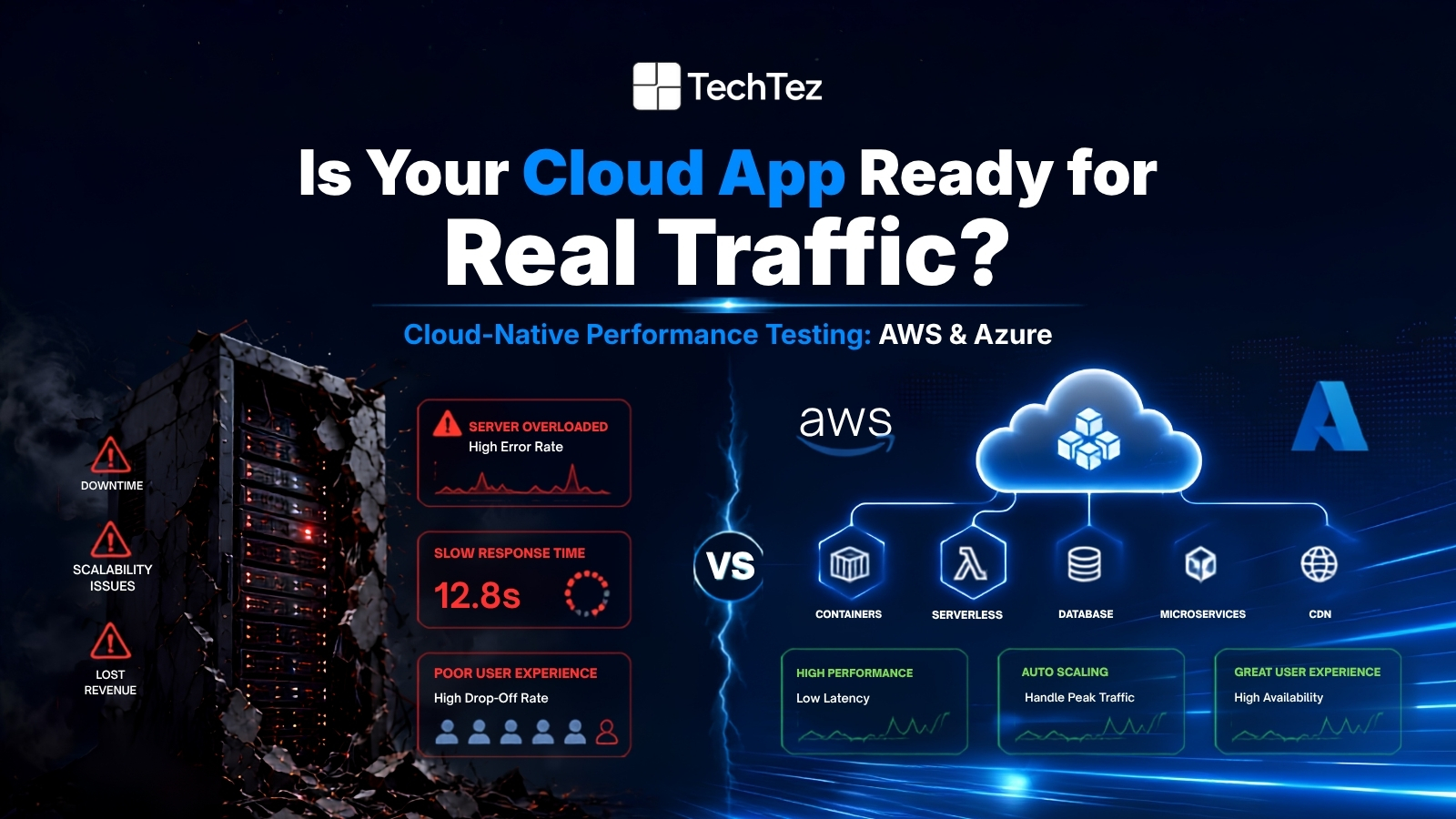

Most performance issues in cloud applications are discovered by real users, not by engineers, and that gap is expensive. Cloud-native performance testing closes it before your customers find it. As companies move workloads to AWS and Azure, the testing playbook must change: the environment is elastic, distributed, and shared. Traditional approaches built for fixed infrastructure don’t translate.
This guide covers practical strategies for load testing cloud-native architecture: what to measure, which tools to use on each platform, and how to keep testing costs from spiraling. Every tip applies directly to AWS and Azure environments running microservices, containers, or serverless functions. If you’re evaluating your broader cloud services strategy, performance testing is where it gets validated under real-world pressure.
Mastering the Cloud – Guide to Cloud-Native Performance Testing in AWS & Azure Environments
Software teams have never shipped faster. Microservices break monoliths into independent deployable units. Containers package applications for consistent execution across environments. Serverless functions eliminate infrastructure management entirely. AWS and Azure have made all this accessible at a scale that was unimaginable a decade ago, and companies are building it aggressively.
But the speed of delivery and speed of execution are two different things.
The same architectural decisions that make cloud-native systems agile also make them harder to test. A single user request no longer hits one server; it travels through an API gateway, triggers a Lambda function, queries a managed database, fans out to multiple microservices, and returns a composed response. Every hop is a potential failure point. Every dependency adds to latency. Unlike a traditional monolith where performance problems are usually localized, cloud-native bottlenecks hide inside distributed systems that are difficult to observe and even harder to reproduce.
The consequences are real. A 100ms delay in load time reduces conversion rates by up to 7% according to the Akamai State of Online Retail Performance Report. Cloud-native architecture introduces more variables, more failure modes, and more places for latency to accumulate unnoticed until a real traffic spike exposes all of them simultaneously.
Effective cloud-native performance testing on AWS and Azure closes this gap deliberately. It simulates the traffic volumes and infrastructure conditions that production experiences, validates that auto-scaling fires at the right thresholds, confirms downstream services don’t become bottlenecks, and ensures the system degrades gracefully rather than failing completely under pressure. This guide gives engineering teams running workloads on AWS and Azure a practical, actionable approach to performance testing, so your users are never the ones who discover your limits first.
Why Cloud-Native Performance Testing Is Different (And Crucial)
Cloud-native applications don’t behave like traditional monoliths under load. When you ran performance tests against a monolithic application, the rules were simple: point a load generator at a single endpoint, ramp up traffic, and watch CPU and memory on one server. Passing or failing was straightforward.
Cloud-native changes every assumption in that playbook.
A modern cloud-native application is not a single thing you can point out a test at. It is a living system of interconnected services, each with its own scaling behavior, resource limits, and failure modes. When traffic increases, some services scale horizontally, others hit concurrency limits, and some downstream dependencies quietly become the bottleneck while everything upstream appears healthy. None of that shows up in a simple response time chart.
What makes this particularly challenging is that cloud-native systems are designed to handle failure gracefully, which means problems can hide. A service mesh retries failed upon requests automatically. A queue absorbs burst traffic without dropping messages. An autoscaler adds capacity before users notice the slowdown. These are features, not bugs but they also mean that performance problems can mask themselves during light testing and only surface when multiple stress factors combine simultaneously.
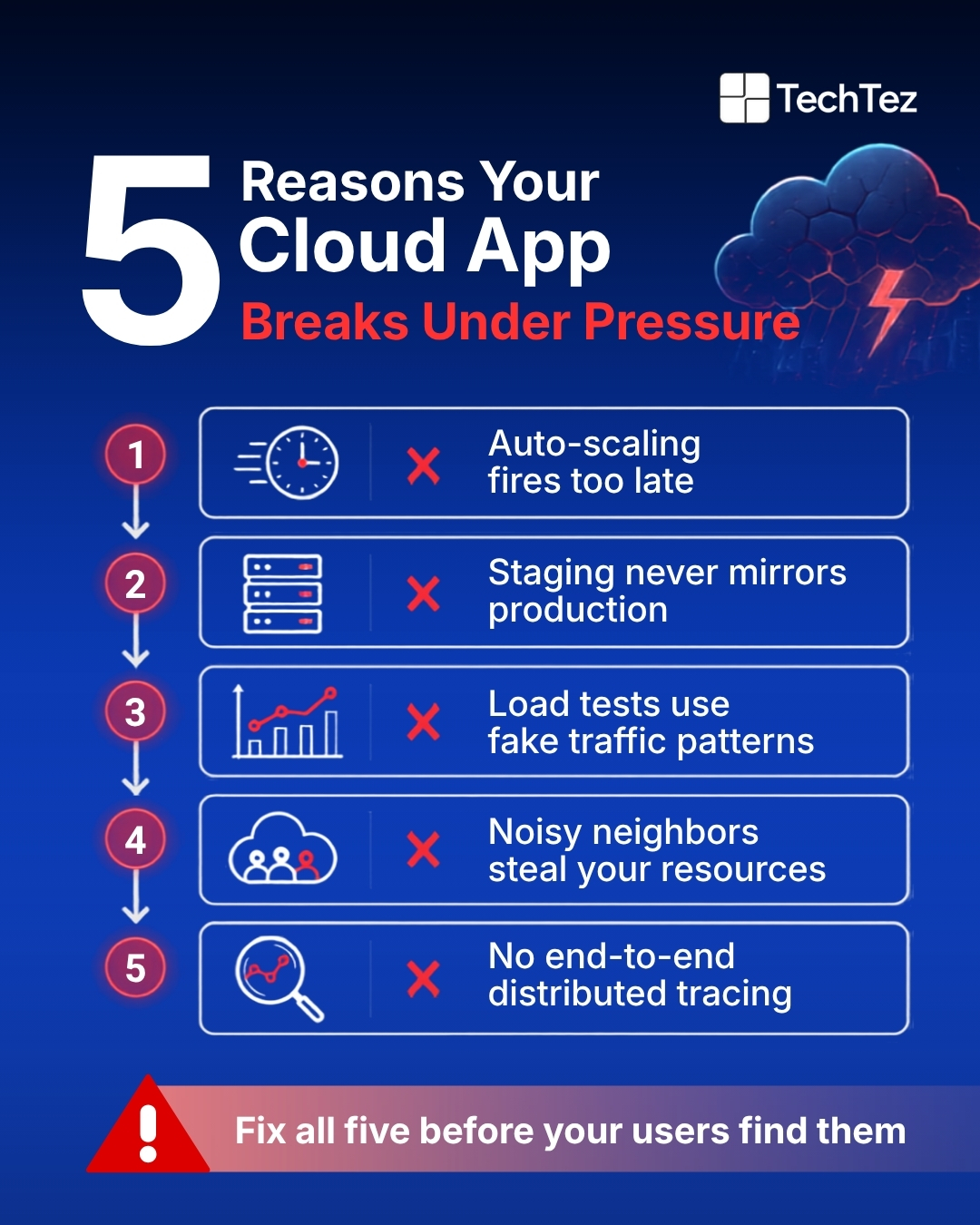
This is precisely why cloud-native performance testing requires a fundamentally different approach: one that validates not just whether your application responds, but whether the entire system holds together under real-world conditions. Five characteristics make this uniquely complex.
1. Elasticity and Auto Scaling
The promise: your app scales automatically when traffic spikes. The risk: if auto-scaling is misconfigured, it either fires too slowly; users see errors or too aggressively, and costs spike. Performance tests must validate that scaling events trigger at the right thresholds, and that new instances are healthy within an acceptable time window, typically under 60 seconds for production-grade services.
2. Distributed Architectures
Microservices and serverless functions mean a single user request can touch 10–20 internal services. A bottleneck in one upstream dependency cascade across the entire system. Cloud load testing must trace requests end-to-end, not just measure the API gateway response time.
3. Shared Infrastructure (Noisy Neighbors)
Cloud environments are multi-tenant by design. A spike in CPU or network I/O from another tenant can affect your application’s response time. Build test schedules that account for this variability, run tests at different times of day, and compare results to establish realistic performance bands.
4. Cost Exposure During Testing4. Cost Exposure During Testing
Spinning up 500 EC2 instances to simulate load is possible in minutes. Forgetting to tear them down is a billing catastrophe. Any cloud-native performance testing strategy must include automated teardown, budget alerts, and Spot Instance usage for load generators.
5. Global Deployment5. Global Deployment
AWS serves users across 33 geographic regions, and Azure across 60+. Latency varies significantly by region. Tests that only generate load from a single location miss the real-world performance picture for global user bases.
Essential Strategies for Cloud-Native Performance Testing
Building a cloud-native application is only half of the battle. The other half is proving it can handle what production actually throws at it. Not the clean, predictable traffic of a staging environment, but the messy, unpredictable load of real users making real requests at the worst possible times.
Most teams underinvest in performance testing until an incident force the conversation. A failed product launch, a viral post that takes down the checkout service, or a Black Friday spike that exposes a database connection limit these are expensive ways to discover what a well-designed test would have caught in advance
The strategies below are not theoretical. They are the practical foundations that separate teams who discover performance limits in a controlled test from teams who discover them during a live incident. Applied consistently across AWS and Azure environments, they turn performance testing from a one-time pre-launch checkbox into a continuous quality gate that protects every deployment.
Set Clear Objectives Before Writing a Single Script
Define your Service Level Objectives (SLOs) before touching load generation tools. Concrete examples:
- P95 response time ≤ 200ms at 1,000 concurrent users
- Error rate < 0.5% under peak load
- Auto-scaling triggers within 45 seconds of sustained 80% CPU
- Zero data loss during a rolling deployment under load
Without these benchmarks, test results are just numbers. With them, they become pass/fail criteria that can block a release automatically in CI/CD.
Model Realistic Workloads
The most common mistake in cloud load testing is using uniform traffic patterns with a constant 200 requests per second that bears no resemblance to how real users behave. Better approaches:
- Extract user journeys from analytics data and weight test scenarios by real traffic proportions
- Simulate ramp-up phases, sustained peaks, and sudden traffic spikes the kind that happen after a product launch or a viral social post
- Use anonymized production data snapshots for database-backed tests; synthetic data masks real query performance characteristics
Use Cloud-Native Load Generators
Running JMeter on a single on-premises server and pointing it at a cloud application defeats the purpose of cloud-native testing. Instead:
- Deploy containerized load generators on Kubernetes (EKS, AKS) or managed container services (ECS, Azure Container Apps) so the generator infrastructure scales with test requirements
- Use open-source tools like k6, Locust, or Gatling that support cloud-based distributed execution natively
- Separate load generator infrastructure from the application under test to avoid resource contention skewing results
Monitor Everything Continuously
Cloud environments generate enormous amounts of telemetry. During a performance test, capture all of it:
- Application metrics: response times broken down by endpoint, throughput (requests/second), error rates by status code
- Resource utilization: CPU, memory, network I/O, and disk I/O per container, instance, and function
- Service-specific metrics: database connection pool exhaustion, message queue depth, API gateway 4xx/5xx rates, CDN cache hit ratios
- Autoscaling events: exact timestamps when scale-out triggers, time to first healthy request from new instances
Correlating application metrics with infrastructure events is where the real root-cause analysis happens.
AWS Performance Testing Strategy: Load Generation and Observability
AWS provides both managed services and flexible infrastructure for cloud load testing. The right combination depends on your scale and your team’s familiarity with AWS tooling. For deeper guidance, the AWS Well-Architected Framework’s Performance Efficiency Pillar is the authoritative reference.
Load Generation Options on AWS
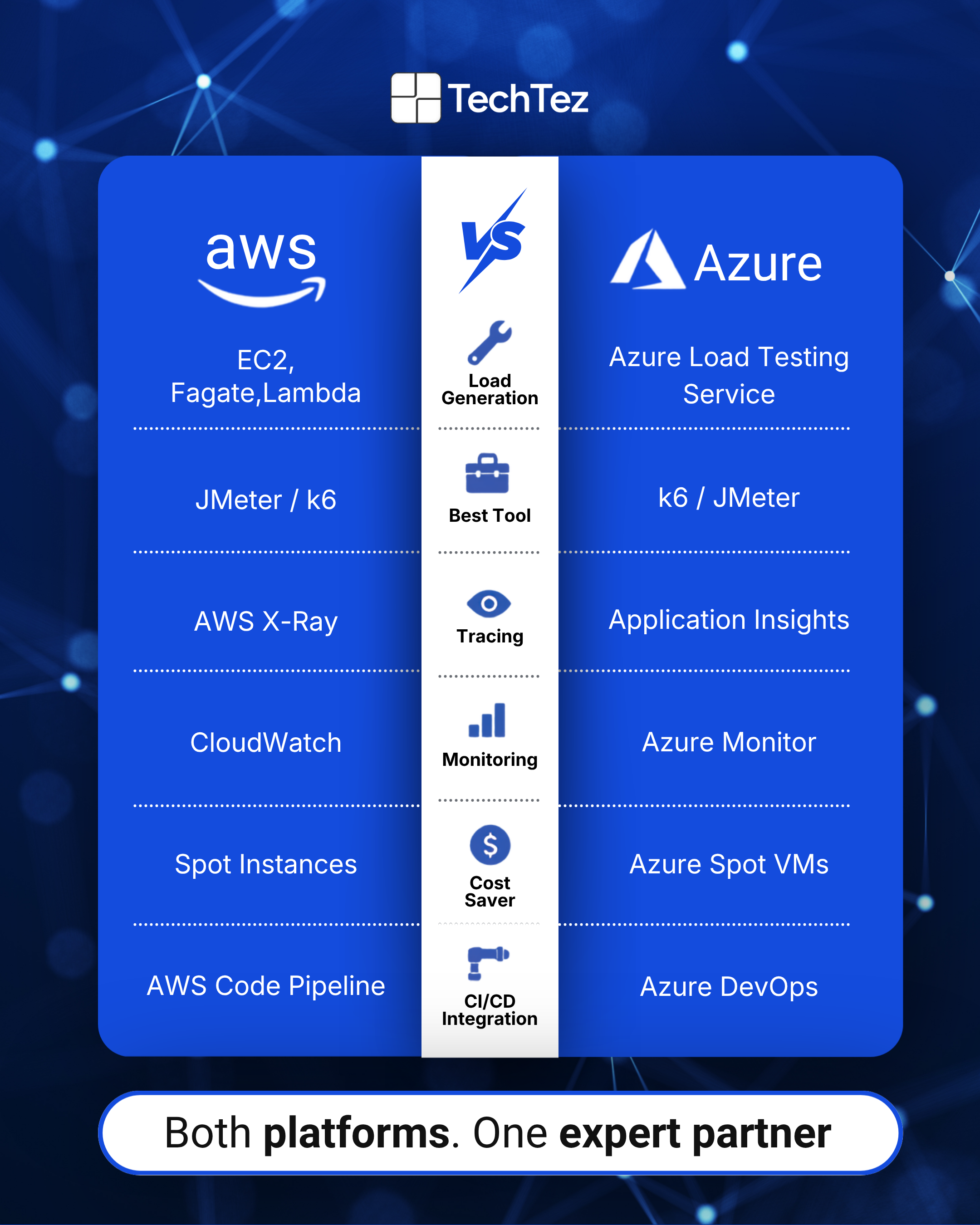
Amazon EC2 + containerized tools: Spin up EC2 instances running JMeter, k6, or Locust and scale horizontally by adding instances. Use Spot Instances for up to 90% cost reduction load generators are inherently fault-tolerant since a lost instance just reduces virtual user count temporarily.
AWS Fargate / ECS / EKS: Deploy containerized load generators without managing EC2 instances. ECS task definitions or Kubernetes deployments make scaling load generation infrastructure straightforward and increase the replica count to add more virtual users.
AWS Distributed Load Testing Solution: An open-source AWS solution that uses Fargate, Lambda, and API Gateway to run large-scale JMeter and Taurus tests. It provides a management UI, tracks test history, and handles infrastructure provisioning automatically. A strong starting point for teams without an existing load testing platform.
AWS Lambda (advanced): Useful for generating highly bursty, short-duration traffic spikes that simulate sudden viral loads. Requires careful concurrency limit management and cost monitoring. Lambda costs can escalate quickly at high invocation rates.
Monitoring and Observability on AWS
Amazon CloudWatch: Central hub for metrics, logs, and alarms across all AWS services. Create dashboards that aggregate application and infrastructure metrics in a single view during tests. Set alarms that auto-terminate test runs if error rates exceed defined thresholds.
AWS X-Ray: Distributed tracing that follows requests through microservices, Lambda functions, and external dependencies. X-Ray service maps visualize where latency accumulates invaluable for identifying which specific downstream service is causing P99 spikes.
Amazon S3: Store test result files, JMeter reports, and CloudWatch log exports for post-test analysis. S3 lifecycle policies can automatically archive older test data to Glacier to control storage costs.
Cost Optimization for AWS Performance Testing
- Use EC2 Spot Instances for all load generator nodes they tolerate interruption and cost up to 90% less than On-Demand
- Automate environment teardown with AWS CloudFormation or CDK stacks that destroy all resources at test completion
- Set AWS Budgets alerts with thresholds specific to your testing environment so unexpected overruns trigger immediate notification
- Right-size load generator instances for k6 or Locust, a c5.2xlarge (8 vCPU, 16GB RAM) can sustain several thousand virtual users; starting smaller wastes capacity and distorts results
Azure Performance Testing with k6: Strategies for Microsoft’s Cloud
Azure’s managed load testing service and first-class k6 integration make it one of the most streamlined environments for cloud-native performance testing. If your team already uses Azure DevOps for CI/CD, the integration path is particularly clean.
Azure Load Testing Service
Azure Load Testing is a fully managed service that removes all load generator infrastructure management. The workflow is straightforward:
- Upload a k6 or JMeter script to the Azure portal or reference it from a repository
- Configure virtual user counts, test duration, and geographic load zones
- Azure provisions the underlying infrastructure, runs the test, and tears it down automatically
- Results integrate directly into Azure Monitor, with pass/fail criteria configurable in the test definition
For teams running JMeter scripts today, Azure Load Testing supports them without modification of a lower-friction migration path than rewriting tests from scratch.
Why k6 Is a Strong Choice for Azure Environments
JavaScript-based scripts: k6 uses JavaScript ES2015+, which most developers already know. Complex test scenarios with conditional logic, dynamic data, and multi-step authentication flows are easier to express in k6 than in JMeter’s XML-based configuration.
Built-in thresholds: Define performance SLOs directly in your k6 script. For example: P95 response time must be under 200ms, and the error rate must stay below 1%. Tests fail automatically if thresholds are breached with no post-processing required.
CI/CD native: k6 integrates with Azure DevOps pipelines as a native test step. Performance regressions block deployments before they reach production, the same way unit test failures do.
Extensions: xk6-browser enables real browser-level performance testing. xk6-chaos supports fault injection during load tests. Output extensions stream results to Grafana, Datadog, or Azure Application Insights in real time.
Monitoring and Observability on Azure
Azure Monitor: Collects metrics and logs from all Azure resources. During a load test, Azure Monitor provides real-time visibility into computer, networking, and storage of resource consumption across your test and application environments.
Application Insights: Azure’s APM service tracks request rates, failure rates, dependency call durations, and live metrics streams. Application Maps show dependencies between services like AWS X-Ray service maps and highlight which calls contribute most to end-to-end latency.
Log Analytics Workspaces: Centralizes logs from Azure Kubernetes Service, Azure Functions, App Service, and API Management into a single query able interface using Kusto Query Language (KQL). Cross-correlating application logs with load test timelines identifies exactly which log events correspond to latency spikes.
Conclusion
Cloud-native architecture is not a performance guarantee; it is a performance opportunity. Microservices, containers, and serverless functions give your team the building blocks to scale confidently. But without rigorous testing, those same building blocks become the source of bottlenecks that erode user trust, damage conversion rates, and hand your competitive edge to faster-moving rivals.
The teams that win performance are not the ones with the most sophisticated infrastructure. They are the ones who test early, test continuously, and treat performance as a product requirement, not an afterthought discovered during an incident.
Techtez helps businesses bridge that gap. Whether you are running microservices on AWS, containerized workloads on Azure, or a hybrid architecture across both, Techtez brings the expertise to design and execute performance testing programs that match the complexity of your environment. Every engagement is built around one outcome: applications that perform under real-world pressure, not just in controlled staging conditions.
Speed is a feature. Scalability is a competitive advantage. Resilience is what keeps users coming back. Do not let performance bottlenecks undermine the cloud advantages you have already invested in building.